Ctrl+Shift+V opens your clipboard

Windows forgets what you copy. Memoriclip doesn't.

Everything you copy, kept and findable in an instant. Pay once, yours for good.

Free, no credit card. Windows 10 and 11.

Memoriclip · Clipboard
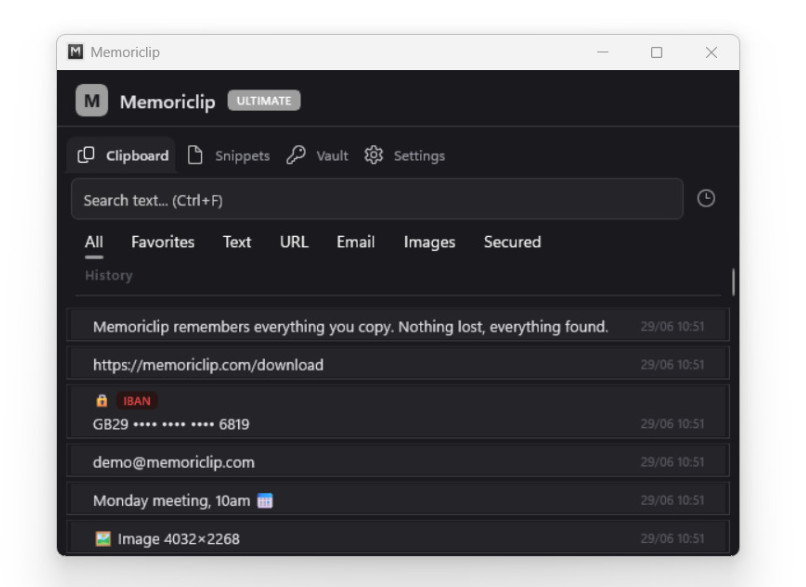
Memoriclip — Clipboard tab: instant search, filters and opened item (demo data)
Free → Pro → Ultimate
No subscription one-time purchase, lifetime license
100% local your data stays on your PC, no cloud
Windows 10 and 11 signed installer, clean uninstall
Free version no time limit, no credit card
Ctrl+Shift+V

Find anything in a keystroke

An address, an order number, a snippet of code you copied two hours ago? Open Memoriclip with Ctrl+Shift+V, type a word, it's back. No more "I copied it… but where?".

Memoriclip · Snippets
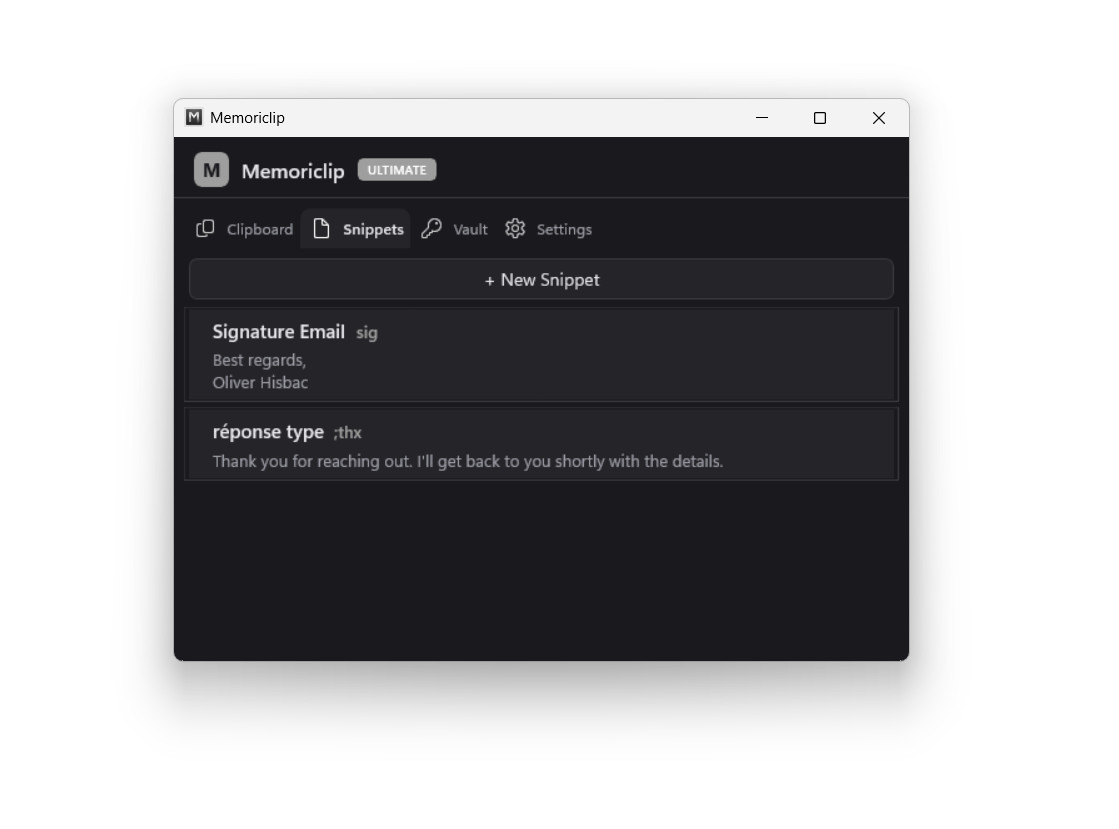
Memoriclip — Snippets tab: reusable text templates with keyboard shortcuts (demo data)
Snippets

The text you keep retyping, written for you

Your signature, a saved reply, an IBAN, a phrase you retype ten times a day: save it as a Snippet with a shortcut. Type sig then Tab in Word, your browser, your email client, and most of your apps, code editors like Notepad++ included. Your full text types itself.

Stack mode

Copy it all, paste it in order.

Filling out a form, moving several pieces of info from one document to another? Turn on Stack mode with Ctrl+Shift+C, copy your items one after another, then paste them in sequence, no more back-and-forth for each one. In the order you copied them, or starting from the last: your call.

Transformations

Clean up your text with a right-click.

Right-click an item and it transforms: UPPERCASE or lowercase, extra spaces removed, line breaks cleaned up. For coders: encode/decode Base64 or URL, format or minify JSON. No more pasting your text into an online tool — it all happens on your machine.

Light & dark themes · Starts with Windows · English & French · Backup & restore

Your passwords deserve better than an ordinary clipboard.

A regular clipboard keeps everything in plain text: your passwords, your codes, your bank details stay readable, in view of any program. Memoriclip keeps them apart.

Vault

A vault on your machine, paid for once.

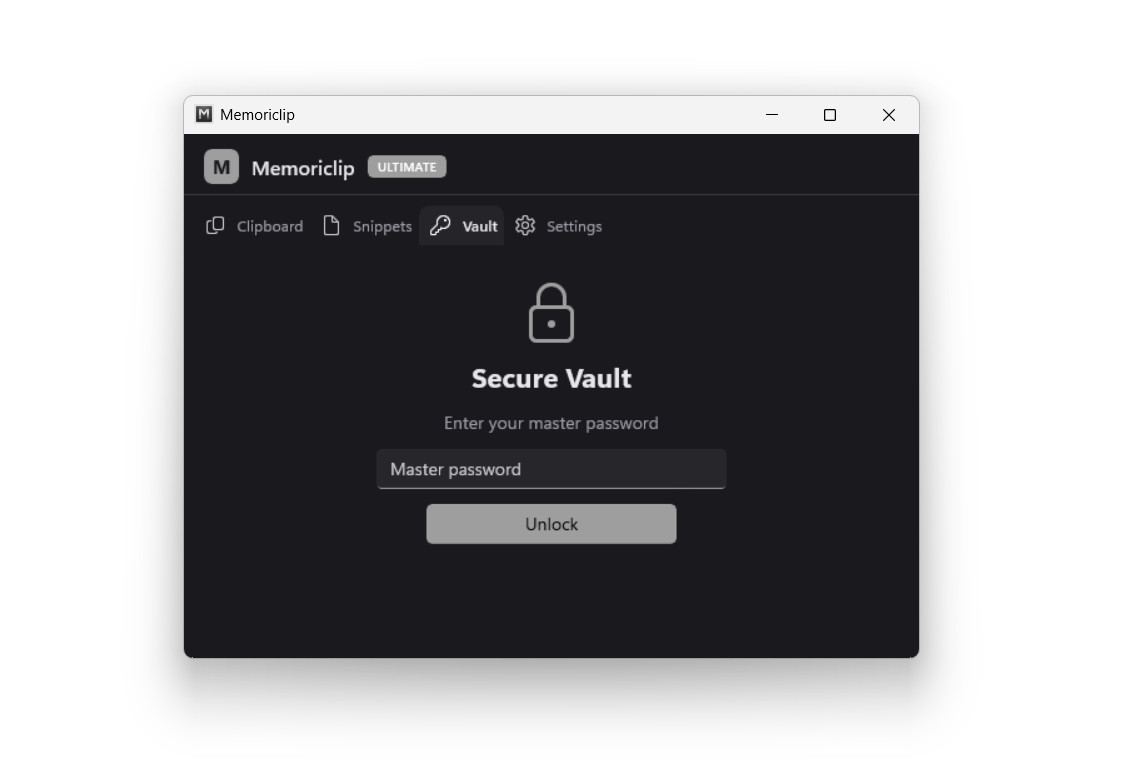
Locked behind a strong master password, the vault stays 100% local — your data never leaves the machine.

Memoriclip · Vault
Memoriclip — Vault tab: encrypted sensitive data (demo data)

And day to day, it watches out for you.

  • Memoriclip spots your sensitive data — passwords, keys, IBANs, bank cards and more — and automatically marks it as secured.

  • When your password manager is open, Memoriclip stops listening to the clipboard: whatever you copy there is never saved.

  • Copied a password, a key, a code? Memoriclip can clear it on its own after a delay you choose — so a secret doesn't stay exposed for hours because you forgot to clear it and haven't copied anything else since.

  • Your entire history is encrypted on your machine, and so are your backups.

Pricing

The number of PCs = how many machines you can activate your license on.

Free

Free

To get started, at no cost.

  • 100-entry history
  • Instant search
  • Quick Paste (Ctrl+Shift+V)
  • Blue theme, light or dark
Download for free

No credit card.

Pro

€29.99

· one-time payment

For people who copy and paste all day long.

  • Everything in Free, plus:
  • Snippets and text expansion
  • Stack mode (multi-copy, paste in sequence)
  • Text transformations (case, Base64, JSON, URL…)
  • Extended history up to 500 entries
  • Metallic theme on top of blue, light or dark
Most complete · just €10 more

Ultimate

€39.99

· one-time payment

For anyone handling passwords, keys, and sensitive data.

  • Everything in Pro, plus:
  • Encrypted vault, master password (100% local)
  • Secure notes
  • Sensitive data detection (8 categories), spotted and kept safe
  • Extended history up to 1000 entries
  • Gold theme too, light or dark

FAQ

Is it really free?

Yes. The free version covers the essentials and it's yours for life — no credit card, no account to create. There's no trial that turns into a bill: it stays free for as long as you use it. Paid versions are there when you want to go further, but nothing forces you to.

Does my data go to the cloud?

No. Everything stays on your PC. Memoriclip syncs nothing, sends nothing to a server, creates no online account. Your history and your snippets live on your machine, and nowhere else.

Can I uninstall it cleanly?

Yes, and you even have a choice. The installed version sets up with a standard signed installer and uninstalls like any other Windows app, leaving no traces. And if you'd rather not install anything at all, there's a portable version: run it from a folder or a USB stick, and to get rid of it, just delete the folder. Either way, your system stays clean.

If I go paid, how does it work?

You pay once — no subscription. One license covers 1, 2, or 3 PCs depending on what you choose, handy if you have a desktop and a laptop. Payment and billing go through Lemon Squeezy; you receive your license by email and activate it in the app.

Does text expansion work everywhere?

In the vast majority of apps: Word, your browser, your email client, code editors like Notepad++, and most everyday software. A few rare apps don't allow it due to a known Windows limitation — Windows 11's Notepad is one of them. Everywhere else, your snippets expand normally.

Is my data protected at the exact moment I copy it?

Let's be honest: the instant you copy something, the content passes through the Windows clipboard, where legitimate programs or a malicious one can read it. That's true for Memoriclip as for any tool — it's how Windows works. What Memoriclip protects is storage: once your data is saved, it's encrypted on your machine, and you can have sensitive content cleared automatically so a secret doesn't linger. The protection covers what's kept, not the fleeting moment of copying. Be wary of any tool that promises you otherwise.

Your clipboard, finally up to the task.

Install the free version and keep it as long as you like. The day you want Snippets, the Vault, or extended history, you unlock — once, not every month.

Free, no credit card. Windows 10 and 11.